visual-planning-skills
Visual Planning Skills
Struggling to understand the giant walls of text your AI throws at you? Frustrated by jargon AI invents that only it can fathom?
You are not alone.
No one understands AI these days.
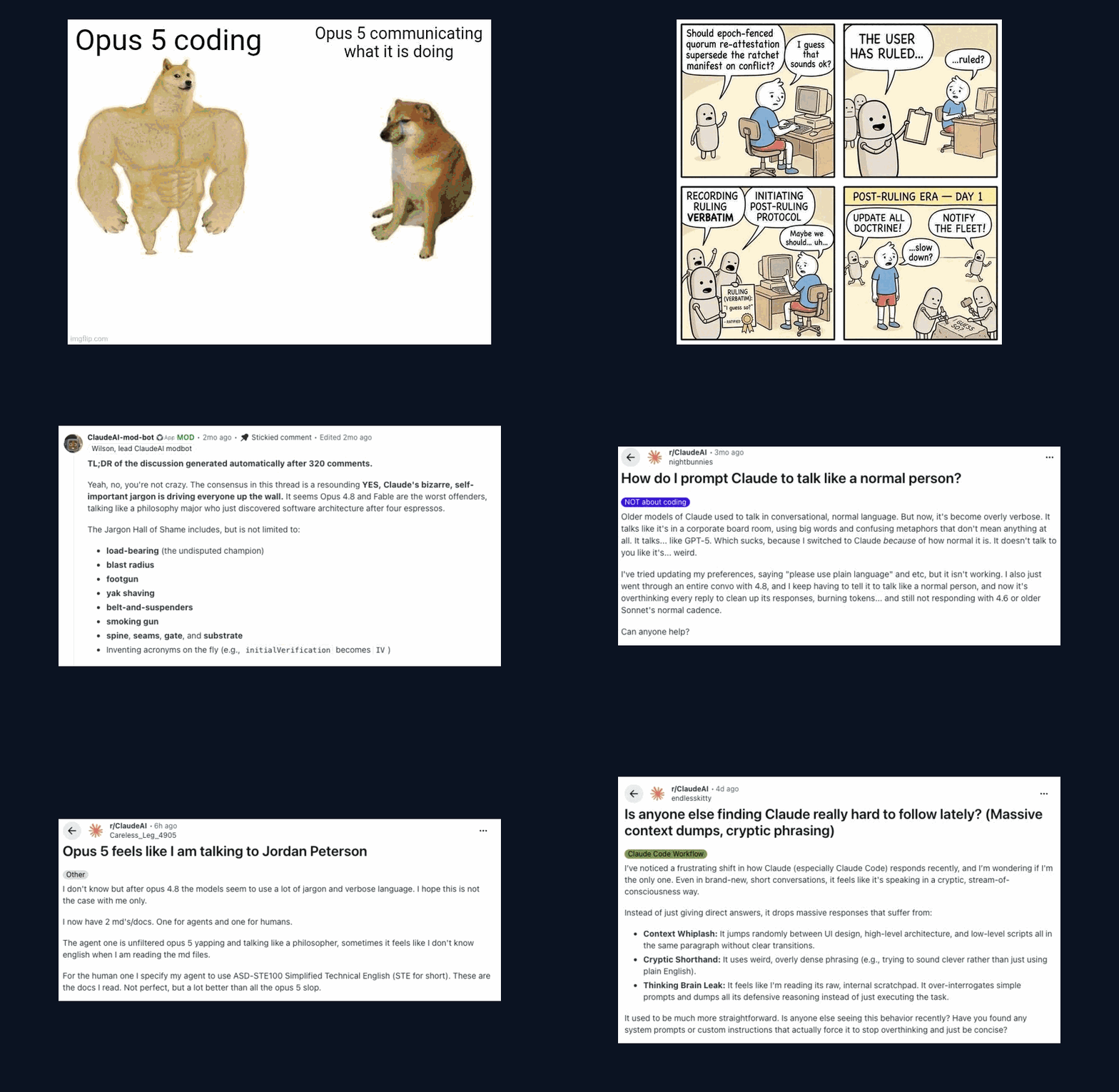
Open the interactive explainer → It plays this deck with controls. It shows the whole flow, a live decision card, and install steps for eight agents.
Slide credits: Steve Yegge (the workflow comic); the r/ClaudeAI community: the moderator-bot summary, u/nightbunnies, u/endlesskitty, u/Careless_Leg_4905; the Swole Doge format. The ASD-STE100 subskill draws on danyuchn/asd-ste100-skill.
The fix
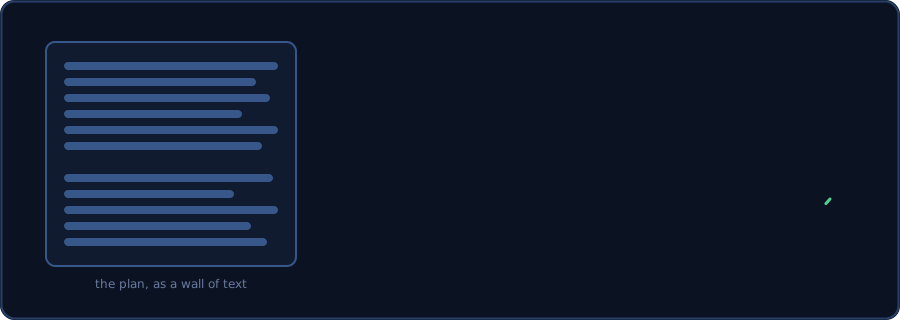
visual-plan draws the plan. asd-ste100 keeps the words plain. Decision cards ask questions you can answer.
The skills
| Skill | What it does |
|---|---|
visual-explainer |
“Visually explain how the code works.” Creates an HTML file with animations and diagrams. |
visual-plan |
“Visually plan this task.” Replaces the plan mode with an HTML version of it. Less text, more interactivity. |
visual-schema |
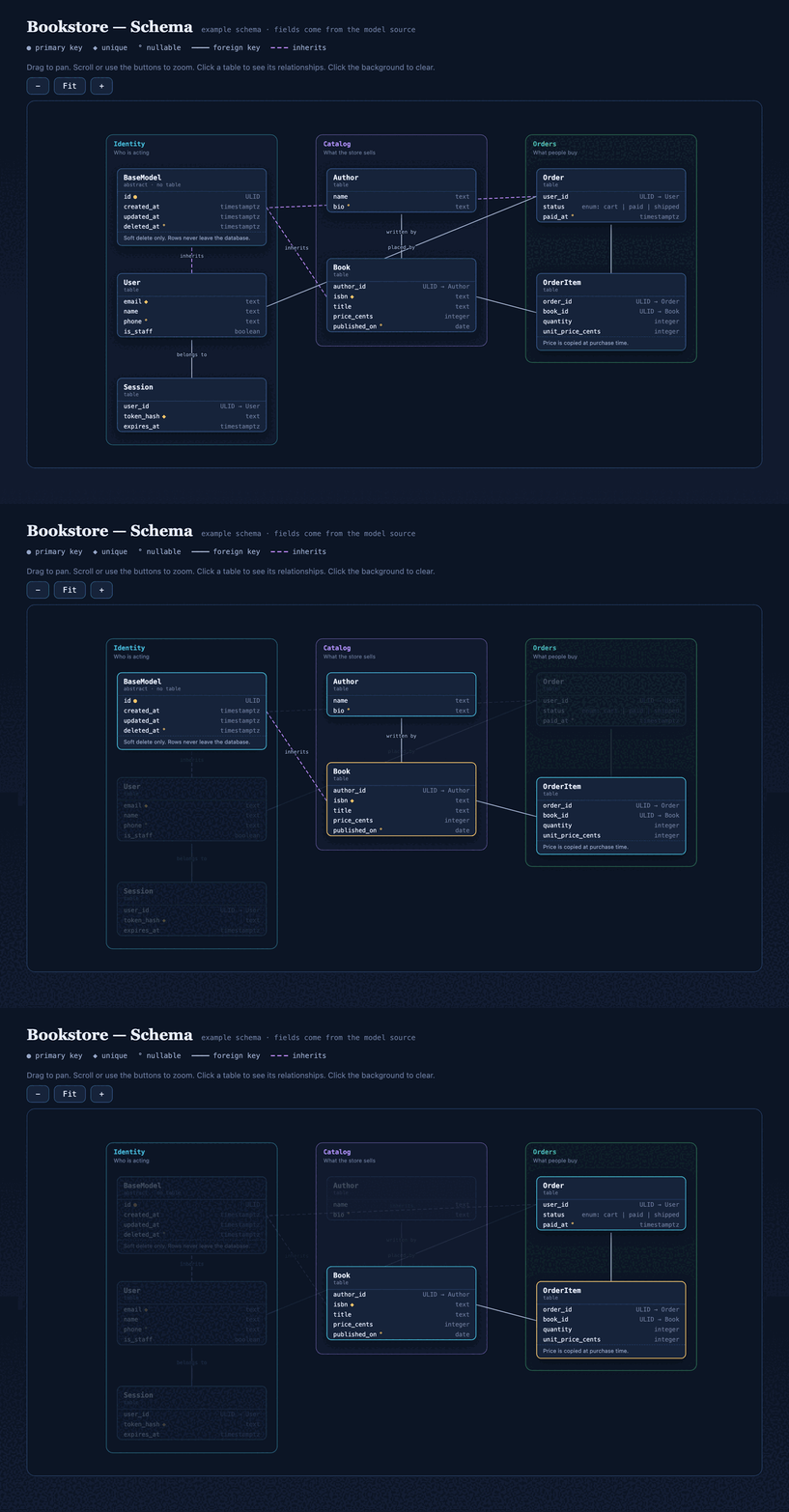
“Visualize my database schema.” Visually see the models, relationships, and fields on a draggable canvas. |
visual-api |
“Document my API contract.” A Swagger-style page of endpoints, parameters, and responses. Static HTML, no canvas. |
challenge-plan |
“Challenge this plan for over-engineering.” A different model reviews the plan. It may only cut, never add. |
The skills work together, but none needs the others.
visual-planreuses the drawing patterns fromvisual-explainer.challenge-planis separate.visual-plannever runs it for you. You run it when a plan needs a check.
visual-explainer example
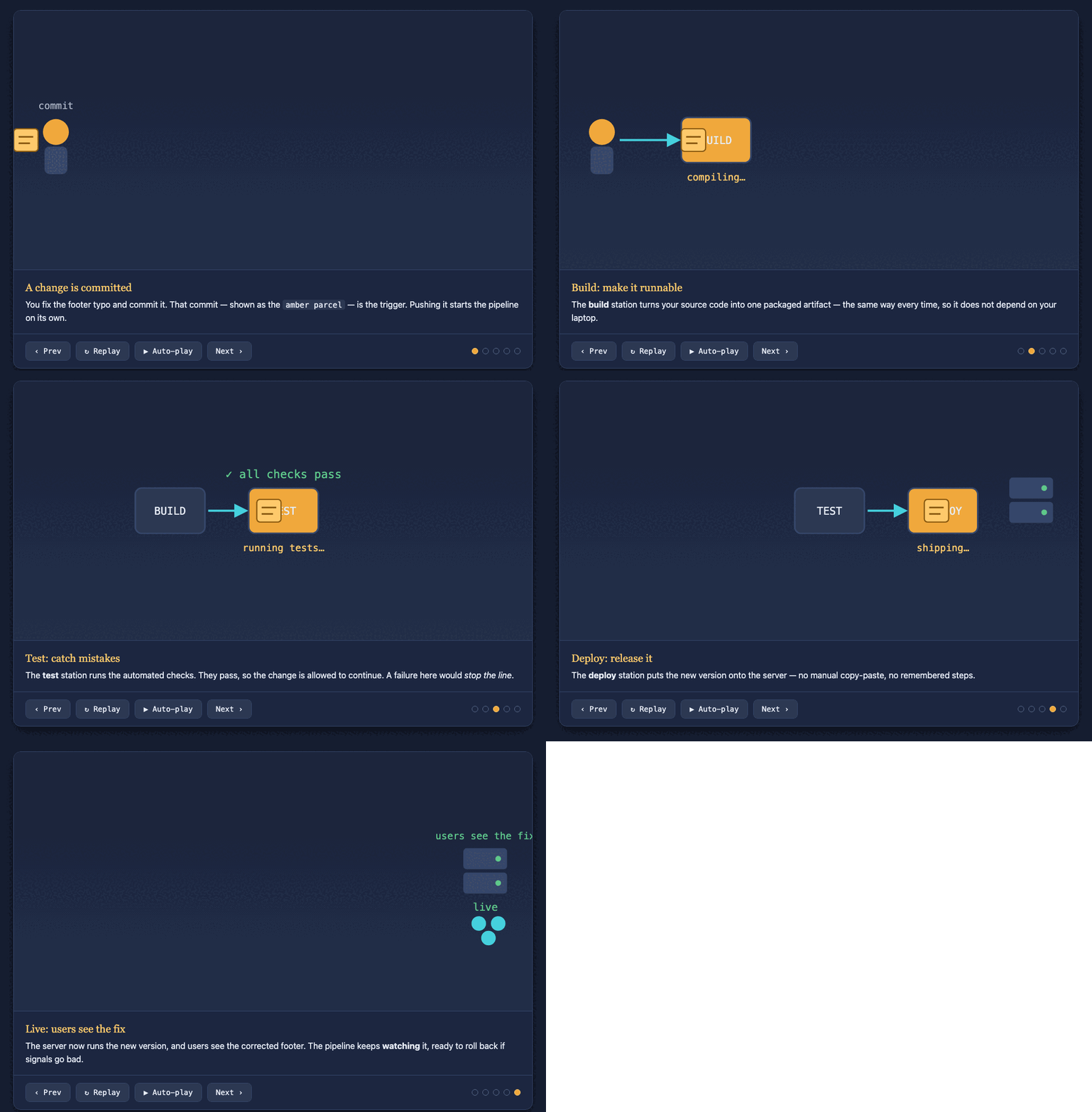
▶ View it live on GitHub Pages
Above: visual-explainer explains one subject, how a deploy pipeline works. A scene player walks the mechanism step by step. Source: pipeline-explainer.html.
visual-plan example
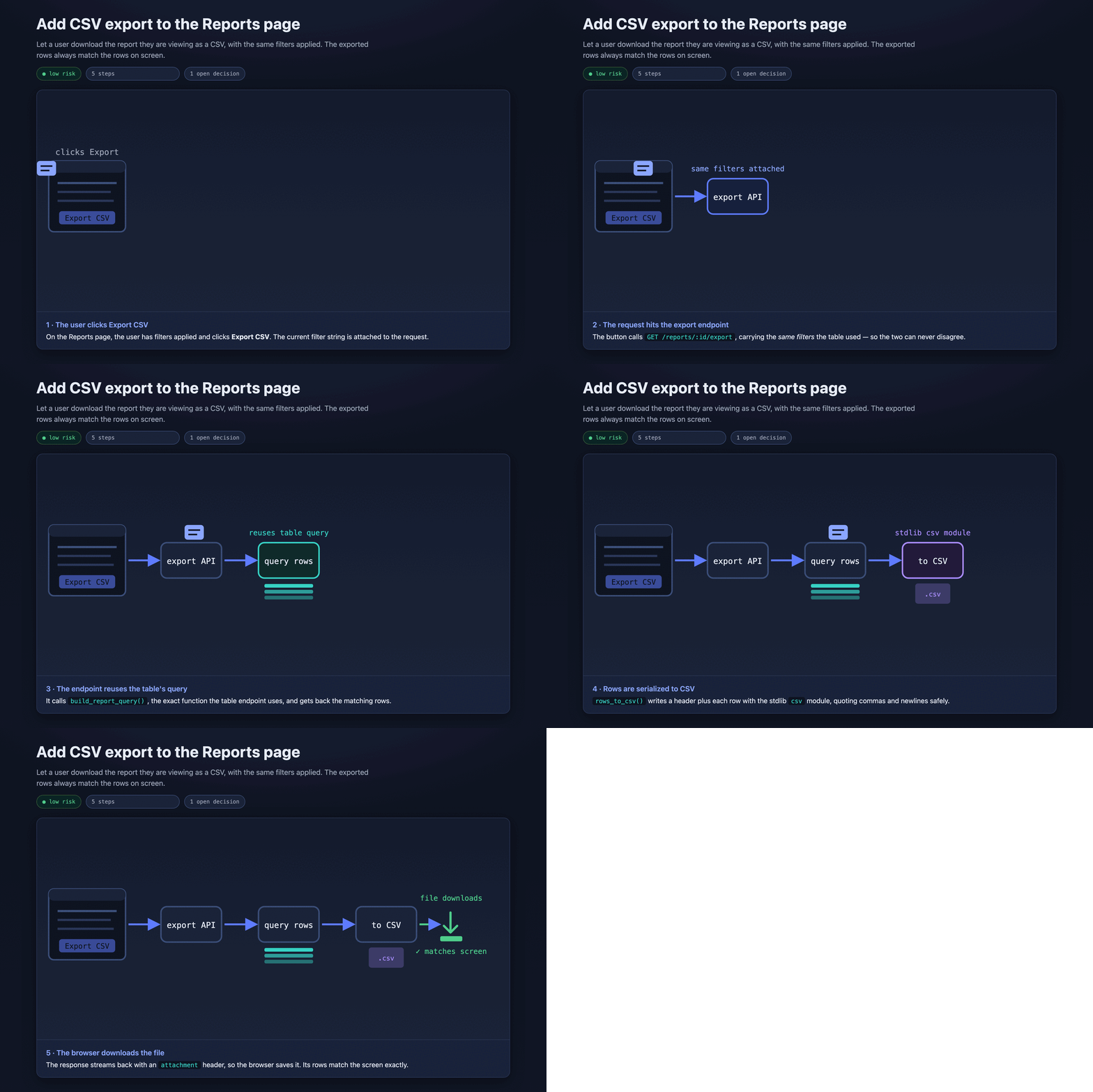
▶ View it live on GitHub Pages
Above: visual-plan plans one small feature, Add CSV export to the Reports page. It shows the change as an animation. It turns the one real decision into a card you answer in the browser. Source: plan.html.
visual-schema example
▶ View it live on GitHub Pages
Above: visual-schema draws a small bookstore database. The tables come from the model source. Click a table to see its relationships. Drag to pan, zoom to fit. Source: bookstore-schema.html.
Examples
Every example is one self-contained HTML file. Open the live link, or download the source and open it in a browser.
| Example | Made with | Open |
|---|---|---|
| Deploy-pipeline explainer | visual-explainer |
live · source |
| The visual-plan explainer (the deck above) | visual-explainer |
live · source |
| CSV-export plan | visual-plan |
live · source |
| Bookstore schema | visual-schema |
live · source |
| Bookstore API contract | visual-api |
live · source |
| Bookstore API — changes only | visual-api (change mode) |
live · source |
Install
Clone the repo once. Then copy the skill folders to where your agent loads skills.
git clone https://github.com/parthjshah95/visual-planning-skills
cd visual-planning-skills
| Agent | Copy the skills to |
|---|---|
| Claude Code | cp -R skills/* ~/.claude/skills/ |
| Codex / ChatGPT | cp -R skills/* ~/.codex/skills/ |
| Cursor | cp -R skills/* ~/.cursor/skills/ |
| OpenCode | cp -R skills/* ~/.config/opencode/skills/ |
| OpenClaw | cp -R skills/* ~/.openclaw/skills/ |
| Hermes | cp -R skills/* ~/.hermes/profiles/<profile>/skills/ |
| Windsurf (per project) | cp -R skills/* <project>/.windsurf/skills/ |
| Antigravity (per workspace) | cp -R skills/* <workspace>/.agents/skills/ |
For an existing installation, remove these retired files from its visual-explainer folder before you copy the updated skills:
render_check.shlayout_audit.jstest_layout_audit.sh
The skills no longer require a Chrome script or an automatic layout audit.
MedFinder users receive this removal through the shared repository’s setup.sh.
Each SKILL.md is self-contained.
Custom instructions
Optional: tell the skills about your team's process.
A finished plan means different things to different teams. One team merges straight to trunk. Another team needs a dev environment, a monitoring window, a sign-off, a house style, a place to publish, and a tracker. So the skills keep all of that in one optional file, not in the skills. - Pass a file with `instructions=